


Nā lawelawe pūnaewele i hoʻohana ʻia e

Welcome to the second Data Dives, our newest initiative to help users of the site learn more about ways to use the Creative Vitality™ Suite tool and its data. CVSuite™ Data Dives explore the wide array of data in the tool and illustrate ways the tool can be used to tell a data-driven story. This month, the CVSuite team will dive deeper into ways to use the CVSuite to define your creative economy to best meet your needs.
Although there are many regularly used lists of activities that are included in definitions of the creative economy, there is no single widely accepted definition. The Creative Vitality Suite tool allows users to create their own definitions of the creative economy.
Users can do so by selecting and deselecting codes within three core areas:
- A. Industry Codes (NAICs),
- B. Occupation Codes (SOC), and
- C. Types of employment (Class of Worker)
Users of the CVSuite have the ability to adjust the creative economy definition within the tool to be congruent with state or local creative-economy conversations.
Question: Which codes should I include in my creative economy?
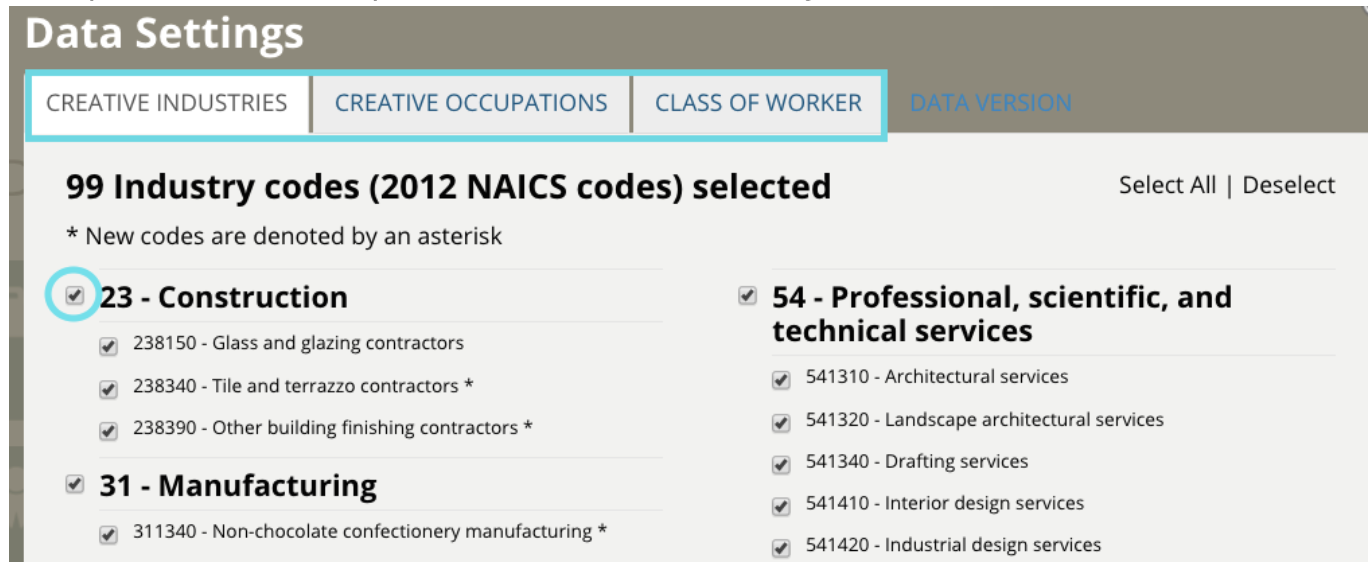
To view the different data settings and select codes for analysis, visit the Data Settings section on the CVSuite dashboard.
The window will open with Creative Industries. At the top of the window, you will see tabs for Creative Occupations and Class of Worker. Once you are there, select the checkbox next to the codes you wish to include in your analysis.
If you do not wish to customize your definition of the creative economy, the CVSuite will default to a core set of common––but not universal––creative industries and occupations that comprise the creative economy.
Understanding Creative Industries and Occupations
Industries are groups of businesses that produce similar goods and services. By examining industry codes, you can examine the various creative industries that are important to a region and, among other things, analyze industries in growth and decline. Please note that a creative industry can employ both creative and non-creative workers.
For a more granular perspective of a workforce, you can also examine which creative occupations are employed within these industries. Occupation Codes allow users to examine the number of jobs by specific occupation types and also the annual earnings and demographic data related to those occupations. For a list of all codes supported in the CVSuite and descriptions of each, please visit the CVSuite Codebook.
Understanding Class of Worker
The CVSuite also covers the full spectrum of employment types:
- QCEW Employees are full-time and part-time workers reported to the federal and state governments
- Non-QCEW Employees are other types of employment not captured by QCEW
- Self-Employed are workers who consider self-employment as their primary source of income.
- Extended Proprietors are workers who earn income outside of their primary jobs.
The selection of QCEW and Non-QCEW offers a complete picture of salaried workers within a region and will match up closely to employment numbers published by a state government and the Bureau of Labor Statistics. By selecting all classes of workers, you can examine the most complete accounting of a creative workforce and all of the related dollars that are generated by it within an economy.
ʻO ka self-employed and extended proprietors data provide an insight into a growing workforce within the creative economy that would otherwise not be captured in the QCEW classes. Extended proprietors represent a large percentage of creative workers who report their creative income as secondary employment and are not traditionally defined as “employees” but generate income that contributes to an economy. You can also select a single class of worker to identify what their impact is on the workforce.
Defining Your Area of Study
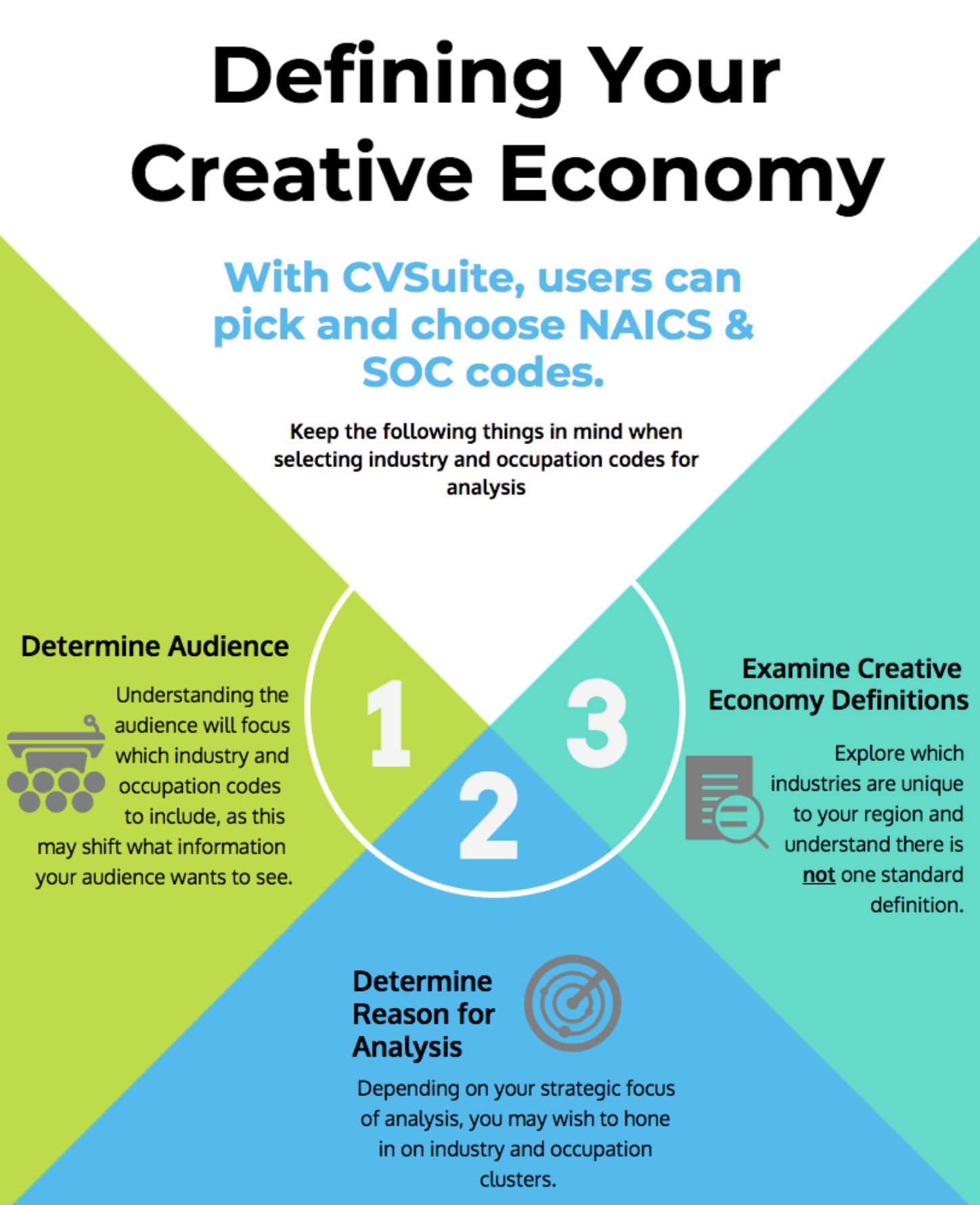
Here are some things to keep in mind when selecting codes for analysis:
- Determine your audience. If you are advocating for continued support or funding from legislators, you may want to exclude industries and occupations that are not core to your mission and programming. For example, in some areas, use of culinary codes such as “full-service restaurants” may not be relevant to your agenda.
- Determine the focus of your analysis. For a variety of strategic reasons, you may wish to hone in on industry and occupation clusters. For example, your region may be launching a film strategy or a music initiative. You can select film-industry codes to analyze trends and track whether the area’s film industry is growing over time as a result of local film initiatives. Identifying if that growth is related to the initiative is another matter, but the CVSuite can provide initial information for that inquiry.
- Examine creative economy definitions. Every region is unique and may have industries that are important to its economy that may not be relevant in other areas of the United States. You should always seek to understand which industries are unique to a region and know what the local definition is of the creative economy is.
Conclusion
Let the CVSuite tool work for you in ways that are most beneficial to your analysis. The CVSuite tool has the ability to accommodate a wide variety of definitions of the creative economy. It allows users to define a creative economy by selecting or deselecting NAICs and SOC codes. When doing so, be sure to consider who your audience is and the purpose of your analysis.
Each month, the CVSuite team will highlight deeper dives within the CVSuite data and tool. Our goal is to help you best analyze the areas you are studying and to tell compelling and comprehensive data-driven stories.
We want to hear from you! If you have a specific question, please email us at cvsuite@westaf.org or call Susan Gillespie at 303.629.1166.
He ʻōnaehana hoʻouna palapala noi pūnaewele ʻo CaFÉ e hoʻoikaika ana e hoʻolako i nā manawa hana no nā mea āpau ma o ka hāʻawi ʻana i nā hui noʻeau i kahi kahua hoʻouna kūpono a me nā mea hana kiʻi i kahi ala maʻalahi e noi ai.

ʻO GO Smart kahi polokalamu hoʻokele hāʻawi kūpono e hāʻawi ana i nā palapala noi mua a ma hope o ka noi, ka loiloi panel, a me ka hōʻike ʻikepili no nā mea hāʻawi.
ʻO ka Public Art Archive (PAA) he waihona manuahi, hiki ke huli, a e ulu mau ana i ka ʻikepili pūnaewele o nā hana noʻeau lehulehu i hoʻopau ʻia ma ka US a ma waho, me kahi hui o nā kumuwaiwai a me nā mea hana i kūkulu ʻia no ka mālama ʻana i nā hōʻiliʻili kiʻi lehulehu.

Hāʻawi ʻo ZAPP i nā luna hoʻomalu noʻeau a me nā ʻahaʻaina me kahi hui o nā mea hana e hōʻiliʻili ai i nā noi kikohoʻe a me nā jury, mālama i nā uku hale hale, a kamaʻilio pū me nā mea noi āpau i loko o kahi kahua kikohoʻe maʻalahi. Hiki i nā mea pena ke hoʻohana i nā haneli o nā hōʻikeʻike ma ka ʻāina ma o kahi pūnaewele kikowaena.